Best Subscription-Optional Pet Camera? Furbo 360 Standalone Review
Evaluate the standalone Furbo 360 for live check-ins, optional interaction, home connectivity and the subscription distinctions that matter before buying.
Furbo 360 Dog Camera Standalone / No Subscription Required selection
Consider it for
Households seeking occasional live check-ins and optional interaction.
Check before buying
Recorded-history terms need separate checking; remote observation does not replace care.
Jump to a section
Is the standalone Furbo 360 worth considering?
The standalone Furbo 360 Dog Camera is worth considering if your main goal is checking a room remotely and interacting occasionally without committing to a paid monitoring plan. The exact offer matters: choose the explicitly standalone selection, then confirm that its basic functions cover what you actually need. A camera bought for occasional viewing is a different purchase from a system bought to review events you missed.
This review covers US Amazon ASIN B09GDQZLD1. It assesses the buying decision through manufacturer documentation and listing identity, not a hands-on camera test. We have not measured connection reliability, video detail, dispensing consistency or alert accuracy. “Best” in the title asks whether this format fits your circumstances; it does not represent a comparative performance award.
The strongest reason to consider this version is a clear match between your needs and the standalone offering. The strongest reason to pause is uncertainty about the chosen variant, home network or expectation of recorded history.
Identify the exact offer before comparing prices
The US listing for B09GDQZLD1 identifies the Furbo 360 Dog Camera with core features and no ongoing cost. Its selected variant is labeled No Subscription Required. A separate required-plan offering exists, so the family name alone does not identify the purchase terms.
Before ordering, read the selected option, title and activation terms together. Do this again after changing an option or opening a different seller offer. Save the order description so you can compare it with the delivered unit and any activation message. If those disagree, resolve the mismatch through the retailer or manufacturer rather than starting a subscription simply to finish setup.
We do not quote a live price, discount, stock status or warranty duration. Those are purchase-time details. A cheaper-looking selection with different service obligations is not a like-for-like price comparison.
What the manufacturer says about basic access
Furbo’s basic-features help page says standalone models support live video, talking to pets, treat tossing and barking alerts without purchasing Furbo Nanny. The page expressly distinguishes subscription-required models. This is the manufacturer’s description of the service boundary, not a promise we independently tested.
Make a short list of the functions you would actually open the app to use. If the list starts with seeing whether your dog is resting in a particular room, live viewing may address the question. If it starts with finding out what happened two hours ago, you need to investigate recording and history separately before making a purchase.
Read current plan information for any extra function you consider essential. Do not infer a history length, download option or alert category from a promotional screenshot, a trial screen or another person’s older account.
Live viewing and recorded history answer different questions
Live viewing helps with a question about the moment you connect. Recorded history concerns a period when you were not looking. This distinction should guide your shopping list before resolution numbers or attractive hardware photographs do.
For example, suppose you want to glance at the dog’s usual resting area during lunch. Decide whether a brief check would be useful even if the dog has moved elsewhere. Now suppose you want to investigate an unexplained noise reported by a neighbor. A live view after the event does not, by itself, tell you what caused the earlier noise. These are separate jobs, even when both involve the same room.
Write your main question in one sentence and ask whether the selected package can answer it. Where the answer depends on a paid feature, include its current terms in your decision. Avoid purchasing a basic-viewing arrangement while mentally budgeting for a different service.
Check the home network before delivery
Furbo’s network troubleshooting page identifies the 360 Dog Camera as Furbo3 and specifies a 2.4 GHz Wi-Fi connection. A network that only offers 5 GHz is therefore a compatibility concern to resolve before ordering. Verify the particular router configuration rather than assuming that a newer router automatically works with every device.
Check that the person installing the camera can access the appropriate home network information and account. Keep passwords private; do not write them on the camera or include them in support screenshots. If you need help with network settings, use guidance for your router and this model rather than changing unrelated settings at random.
Plan time for setup while you are home. A device that connects near the router still needs checking in the location where it will be used. Do not leave that final placement check until you are already away.
Choose a useful view of the room
Begin with the area you want to observe, not the most attractive place to display a gadget. Sketch the dog’s usual resting spot, the doorways and furniture that could obstruct a view. Then identify a stable location for the camera and a suitable route for power, following the supplied placement instructions.
A rotating view does not remove furniture or make another room visible through a wall. Consider where the dog can move out of sight. If the camera shows an empty rug, that observation alone does not tell you where the dog went or whether anything is wrong. Your room layout sets practical limits on what a remote glance can establish.
Check the view under the lighting conditions that matter to you, including when curtains are closed or the usual lamp is off. We have not tested image quality, so treat this as a delivery check for your room rather than a promised performance result.
Treat interaction is an optional part of the purchase
Ask whether remote treat delivery is something your household wants to use, rather than letting it become the automatic reason to choose a camera. The function may be interesting, but food suitability, portion planning and your dog’s response remain separate responsibilities.
Use the instructions supplied for the actual model to choose compatible treats and maintain the dispenser. Do not transfer size guidance from a Cat Camera or Mini model without verification. This review does not provide a feeding plan, and a treat-tossing function should not be treated as a substitute for an appropriate meal routine.
Observe any introduction while you are present before deciding how the interaction belongs in your day. If more than one person uses the account, agree who can dispense and how that activity will be tracked. An amusing app feature is still something the whole household needs to manage consistently.
Audio can be useful without predicting a response
Speaking through a camera is different from being in the room. Consider why you would use it: a brief familiar greeting, checking whether audio is understandable, or another ordinary interaction. Do not assume that a voice from a device will reassure every dog or resolve distress.
A sensible delivery check is to try the function while another adult is present in the room and compare what each person observes. This helps establish what the interaction looks and sounds like in your own setting. It is not a diagnosis or a training protocol.
If your reason for shopping is persistent distress when the dog is alone, seek appropriate professional guidance. Remote observation may supply information to discuss, but buying a camera does not establish the cause or provide a complete response plan.
Decide household access and privacy together
A pet camera can also see or hear people who share the space. Before choosing its location, discuss the intended view with household members and explain its presence to visitors or caregivers as appropriate. Avoid placing it where the useful pet view unnecessarily includes a private area.
Review the manufacturer’s current account, sharing and privacy settings during setup. Decide who needs access and remove permissions that are no longer appropriate when arrangements change. Use a unique password and the security options actually offered for the account; this review does not certify the product’s security or claim a specific protection feature.
Keep an ownership record so the responsible person can manage the device later. If you sell, return or give it away, follow the current account-removal and reset instructions. Physical possession and online account access are separate parts of handing over a connected device.
Understand the limits of remote observation
Build a plan for what you would do if the view were unavailable or something concerning appeared. A camera is only useful in that situation if you can interpret the information and arrange a suitable response. It does not physically open a door, check a hazard or provide care.
Separate an observation from a conclusion. An empty frame could mean the dog is outside the visible area. A missed connection could have several causes. A noise notification is a prompt to assess information, not proof of a particular event. We have not measured this model’s notification accuracy, delay or uptime.
Keep ordinary care arrangements in place. Use the camera as an additional source of information with known limits, and avoid treating the absence of an alert as confirmation that everything has been observed.
Compare total ownership cost fairly
Compare the selected device cost, any features you would pay for, and the time needed to maintain the setup. Use the current checkout and plan terms for the same market and offer. Keep a distinction between an optional trial and a continuing service you deliberately choose.
A useful worksheet has three lines: the hardware you intend to buy, the functions you need on day one, and any extra functions that would change your decision. If the final line remains vague, finish that research before comparing a subscription bundle with a standalone purchase.
Do not justify a higher price using features you are unlikely to use. Equally, do not dismiss a needed service because the basic camera appears less expensive. The objective is a package that answers your actual question at a cost you understand, not the longest feature list.
Delivery and first-week checks
Inspect the order identity and supplied parts before setup. Confirm the activation path matches the offer you purchased, then check the camera in its intended location while someone is home. Test the functions you bought it for using your usual phone and connection conditions.
During the first week, note whether the chosen view is informative or repeatedly empty, whether access is manageable and whether household members understand the agreed use. These observations help you decide whether the arrangement fits your needs within the applicable return terms.
Keep notes specific. “Cannot see the resting area behind the chair” suggests a placement issue. “Wanted to review yesterday’s event” points to a feature requirement. Naming the actual gap is more useful than deciding that every camera in the product family must be good or bad.
Frequently asked questions
Is every Furbo 360 subscription-optional?
No. Confirm the exact offer. This review concerns the standalone ASIN identified above; required-plan offers have different terms.
Does basic live viewing include a recording archive?
Do not assume so. Verify current history and playback terms if reviewing past events is essential to your purchase.
Will it work on a 5 GHz-only network?
The linked manufacturer guidance specifies 2.4 GHz for this model. Resolve network compatibility before buying.
Does it replace a sitter or an emergency response plan?
No. Observation and remote interaction cannot provide physical care or guarantee that every event is detected.
Was this unit independently tested here?
No. This is a documentation-based review with practical purchasing checks, without measured performance or customer-rating claims.
Verdict and related reading
Consider this standalone selection when basic remote check-ins match your purpose, the home connection is compatible and the intended view is useful. Pause if your decision depends on unverified recording, alert or subscription assumptions. Correct offer selection is the first step toward a purchase that behaves as expected.
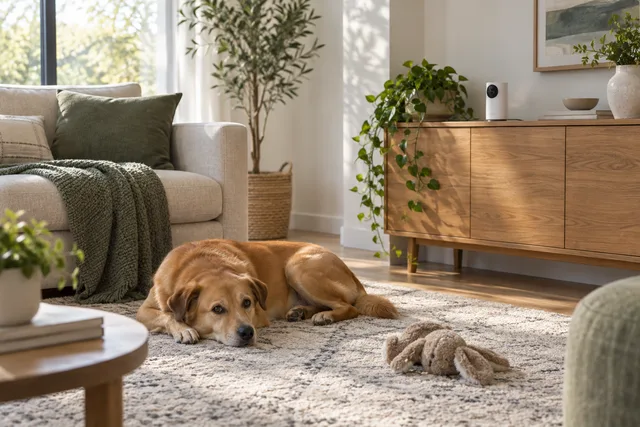
Sources checked September 18, 2026: the linked US Amazon listing and Furbo’s official basic-features and network guidance. The cover is an unbranded illustrative room scene, not a product photograph, app capture or evidence of testing.
Explore Cameras & Monitors for this category. For room planning, see how to choose a dog crate location; for everyday organization, see our walking supplies guide.

Furbo 360 Dog Camera
Standalone / No Subscription Required selection
Read customer reviews on Amazon ↗
- Verified standalone US Amazon selection
- Check basic access versus paid service needs
- Requires compatible 2.4 GHz Wi-Fi
Consider for: Households seeking occasional live check-ins and optional interaction.
Before you choose: Recorded-history terms need separate checking; remote observation does not replace care.
Product information source · Reviewed 2026-09-18
Check current price, seller and options on Amazon.
US listing identity and manufacturer documentation; no hands-on testing. Affiliate link.