How to Prepare an FDA Dog Food Problem Report
Prepare a factual FDA dog food problem report with package identifiers, an observation timeline, relevant records and a private confirmation file.

Jump to a section
Direct answer: build a factual report file before opening the form
To prepare an FDA report about a suspected dog food problem, identify the exact package, write a dated description of what you observed, gather relevant purchase and veterinary records, and keep unknown details marked as unknown. Start from FDA’s official pet food complaint page when you are ready to use its reporting route. A clear report describes a concern; it does not need to pretend that the cause has already been proven.
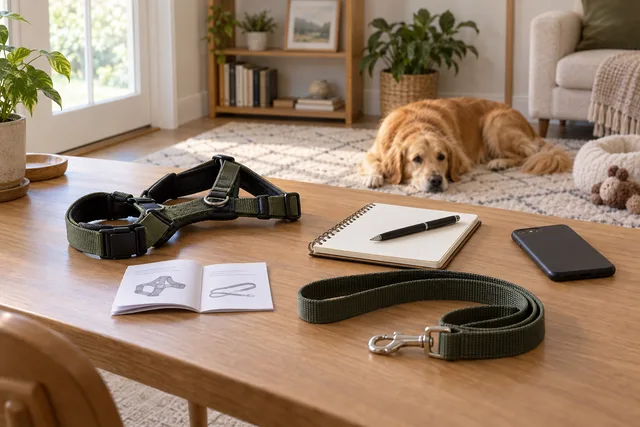
This US-focused guide covers preparation and recordkeeping. It does not submit a complaint, accuse a particular company, diagnose a dog or provide treatment instructions. If a dog is unwell, contact a veterinarian promptly rather than waiting to finish paperwork. The independent cover is an illustrative household scene, not evidence of a problem with any pictured product.
1. Identify the reporting route and the concern
FDA’s pet food complaint page directs consumers to its Safety Reporting Portal. Use that official starting point rather than a sponsored result or a third-party complaint form. This guide does not reproduce a live sequence of portal buttons: the official link did not load in our source check, so current screen wording was not verified.
The agency’s pet food reporting FAQ says the route can cover treats, chews and nutritional supplements as well as complete diets; drugs follow a different reporting category. It also says an animal does not have to be affected for someone to report a suspected product problem.
Write one sentence stating the concern before gathering more material. Distinguish an observed package or product issue from an adverse event involving an animal, or note that both are involved. Do not turn a question about a delivery refund into an invented safety allegation. If you cannot tell which category fits, retain the facts and seek clarification through FDA’s official information channels.
2. Make a package-specific identification sheet
The complaint page asks for as much identifying information as possible, including the full label name and description, package type and size, lot code, labeled date, UPC, purchase details, and storage, preparation and handling information. Gather the package and your records before transcribing. A retail order title may describe a broader product than the specific item in your home.
Use separate lines for each identifier. Copy the characters as printed, preserving leading zeros and any prefixes. Add the label’s description of a date rather than silently converting every date into an expiration date. A photograph and a typed transcription can complement each other: the photograph preserves context while the transcription makes a long code easier to read.
If you have several packages, assign each a simple private reference such as Package A and Package B. Associate its photographs and purchase record with that reference. Do not assume that packages in one order share a lot code or that a loose lid belongs to the can beside it. Keep uncertainties visible until the association can be established.
3. Keep lot information distinct from the barcode
FDA’s lot-number explanation describes the code as an identifier for a particular production batch. Its position varies by packaging, and it may be near a best-by date or on a part removed during opening. The code helps connect a concern to production information; the product name alone cannot do that.
Photograph the entire relevant panel before making a close-up. Check that glare or a fold has not hidden a character. Keep the original file even if you also make a cropped copy for readability. Do not edit a blurred digit into the character you expect; record that it is unclear.
When the package has been discarded, look for photographs or household records already available to you. Do not borrow a code from a store shelf, another customer’s image or a replacement bag. Those might identify a real package, but they would not establish the identity of the one involved in your report. Missing information is a limitation to disclose, not a gap to fill with a plausible number.
4. Write an observation timeline without declaring a cause
Begin with dates you can support: purchase, opening, first noticed problem, relevant use and any later action. Where a time is approximate, label it that way. Keep the sequence readable without adding precision your memory or records cannot support. An honest date range can be more useful than an exact-looking time invented after the fact.
Describe what you saw in ordinary language. Separate the direct observation, the person who made it and your interpretation. If another household member noticed something, attribute the information to them rather than rewriting it as your own experience. If a photograph shows only the outside of a package, do not describe it as proving the condition of the contents.
Use a short paragraph for why you suspect a connection, followed by any relevant uncertainty. Temporal order can explain a concern without establishing causation. You can say that one event followed another while acknowledging that you do not know the cause. Avoid copying a dramatic social-media description just because it resembles the situation you are trying to explain.
Do not deliberately repeat an exposure or recreate a failure to make the report more convincing. This preparation workflow is about preserving existing information, not running a household experiment. Ask the appropriate professional for case-specific instructions rather than improvising testing or handling methods.
5. Add animal and veterinary information when relevant
For suspected illness or injury, FDA’s complaint guidance requests information about the animal, prior health, other foods or products, amounts consumed, signs and their timing, remaining product, and veterinary records or test results. Gather existing documents rather than trying to supply a diagnosis yourself.
Create a separate entry for each animal whose experience you describe. Keep the animal’s identifier consistent across the timeline and attachments. If one dog was affected and another was not, avoid merging them into a household-wide statement. When records are incomplete, say which part is known and who could clarify the rest.
Distinguish a clinician’s recorded findings from your own observations and questions. Copy a document’s date accurately and retain the full original privately. Do not expand a tentative clinical note into a confirmed explanation of the food’s role. The report should allow a reviewer to see what the veterinary record actually says.
Do not change medication, feeding or medical care just to fit a reporting narrative. A report is not an individualized care plan, and completing one is not a substitute for asking the treating veterinarian what to do. This article also does not instruct you to collect diagnostic samples, culture material or arrange private testing.
6. Organize photographs and records before uploading anything
Make a small evidence index for your own use. A practical set of labels might be package overview, code close-up, purchase record and veterinary document. Add a brief note explaining what each file shows. Keep unrelated images out of the working folder so they cannot be selected accidentally when you later use the official system.
Preserve originals separately from working copies. A crop can improve legibility, but it should not become the only record of where a code appeared. If a receipt covers several purchases, make sure you can connect the relevant line to the package without relying on a filename alone.
Review private information deliberately. Veterinary records and purchase documents can contain addresses, telephone numbers or unrelated household details. Use the official reporting channel for information you choose to provide; do not post the full bundle publicly as a substitute for reporting. Keep a private copy of exactly what you supplied so later questions can be answered consistently.
Follow the live system’s attachment instructions when you reach that stage. We have not verified its current upload controls or limits and do not promise that a particular file type or size will be accepted. Organizing the files first remains useful even if the portal requests a different format.
7. Choose a reporting session you can finish accurately
FDA’s FAQ describes both account and guest options. It says a guest report must be completed in one session, while an account can allow saved work and easier follow-up. Review the current privacy and account information before choosing. This guide does not create an account, accept terms or enter personal information for you.
Set aside an uninterrupted period with the identification sheet and relevant records available. If another person holds an essential document, obtain it beforehand when possible. Do not rely on remembering a code after you have put the package away or on finding a missing attachment while a form is open.
The FAQ notes that required fields must be completed for acceptance. Read those indicators in the actual form; do not assume every missing optional detail prevents a report, and do not invent answers to get past a required field. If you cannot provide something essential, use the official help information to clarify your options.
If the portal is unavailable, keep the prepared file and return through FDA’s official page for current reporting information. A page failing to load does not mean a report has been sent. Keep any urgent animal-care question separate from waiting for a website to work.
8. Save confirmation and keep reporting channels separate
FDA’s FAQ advises retaining the submission confirmation and Individual Case Safety Report number. Save the report copy or confirmation the current system provides, together with the date and your private package references. A draft saved on your computer is not evidence that FDA received it.
Record any separate contact with a retailer or manufacturer in its own line. A refund conversation and a regulatory report are different records, even when they concern the same purchase. Do not treat a company’s service reference as an FDA case number or overwrite one status with the other.
For follow-up, keep new information dated and distinguish it from the original report. A later laboratory result or corrected code should not silently replace the earlier version in your private notes. A clear record of what changed makes it easier to explain an update without reconstructing the whole case from memory.
Use a filename that includes the submission date and your private package reference. This helps prevent a later draft from being mistaken for the version actually sent.
9. Understand what a report does and does not establish
FDA’s explanation of report review says the agency evaluates seriousness, possible connection to the product, scope and the need for more information when deciding follow-up. A consumer report contributes information; it is not by itself a recall announcement or a finding that a company caused harm.
Do not promise yourself a testing visit, reimbursement, a particular response date or a specific enforcement outcome. The practical task you control is supplying accurate information and preserving the record. Keep care, customer service and regulatory questions directed to their appropriate channels.
If your separate question is whether an official notice already covers a package, use our recall-checking guide. Searching for an existing notice and preparing a new problem report solve different tasks. An empty recall search does not invalidate an observation, and a report receipt does not establish that a recall exists.
Frequently asked questions
Do I need to prove the food caused a problem? Describe the suspected connection and the evidence you have without declaring a conclusion you cannot support. This guide does not make that causal determination.
What if I cannot read the lot code? Keep a clear photograph of what remains and mark uncertain characters. Do not copy a different package’s code into your record.
Does preparing this file submit anything? No. It organizes information for the official process. No personal details, attachments or complaint have been sent on your behalf.
Can the report replace veterinary care? No. Address an unwell dog’s care promptly with a veterinarian; do not wait for a reporting outcome.
Does a report mean the product is recalled? No. A report, a company response and an official recall notice are separate things. Retain the actual documentation for each.