How to Prepare Clear Dog Identification Photos Before You Need Them
Prepare clear, current dog identification photographs, preserve real markings, and organize private originals and usable sharing copies.
Jump to a section
Start with an accurate, current set of real photographs
Prepare dog identification photos by saving a clear face view, a complete body view and useful close-ups of distinguishing markings. Keep the original files, label when they were taken, and make separate copies for sharing. Choose photographs that show how your dog actually looks today, without filters or edits that change identifying features. A small, understandable set is easier to use than hundreds of unsorted pictures.
This guide is for preparation while your dog is safely at home. It covers taking and organizing usable photographs, not conducting a missing-pet search or proving ownership. If your dog is already missing, begin appropriate local recovery steps promptly using the best pictures available; do not wait to assemble a perfect album. The cover above is an illustrative scene, not an identification photograph to reuse.
Step 1: review what you already have
Open recent photographs on a screen large enough to inspect the dog, rather than choosing by the attractiveness of a thumbnail. Look for sharp eyes, visible coat boundaries and an unobstructed outline. A favorite holiday portrait may be a poor identification image if a costume hides the chest, another dog overlaps the legs or the face occupies only a tiny part of the frame.
Select files from the original camera collection where possible. A screenshot of a message, a social-media download and the original photograph may look similar at first, but they can differ in detail and available resolution. Keep the original even if you make a smaller sharing copy. If you only have a compressed version, retain it and plan a replacement photograph instead of pretending missing detail can be recovered.
Check the actual capture date when available. The date a file was downloaded or forwarded may not be the day the photograph was taken. If the date is uncertain, label it honestly as approximate. A recent haircut, changing puppy proportions or a noticeably different coat can make an older photograph less representative even when its technical quality is excellent.
Step 2: choose a calm place with an uncomplicated background
Use an ordinary, secure area where your dog can stand or sit comfortably. A plain wall or quiet section of the room is useful because the outline remains visible. Choose a background that contrasts enough with the coat: a dark dog can disappear against dark furniture, while pale fur may blend into bright bedding. These are practical photography suggestions, not requirements of every recovery service.
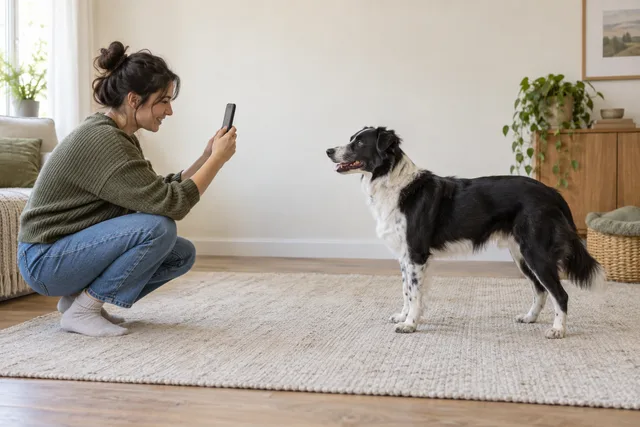
Soft daylight from the side or front usually makes markings easier to inspect than a bright window directly behind the dog. Move yourself or change the camera angle if the face is in shadow. Avoid shining a light into the eyes or creating an uncomfortable pose for the photograph. You need a recognizable record, not a studio performance.
Keep doors and gates secure throughout. Do not remove a necessary leash or other safety equipment just to simplify the composition. If your dog is restless, pause and try at a calmer moment. Another trusted person can help manage the setting, but hands, legs and clothing should not cover the features you are trying to record.
Step 3: take a face view and a complete body view
For the face photograph, position the camera near the dog’s head height and leave room around both ears and the muzzle. Keep the face in focus. Take a few frames as the dog naturally looks toward you, then inspect them for motion blur. A slightly unposed but sharp image is more useful than a dramatic portrait that obscures one side of the face.
For the body view, include the head, torso, legs and tail where visible. A side view can show coat patches and overall proportions that a tight face crop misses. Leave a little space around the outline so later cropping does not cut off important features. If the two sides have different markings, retain a view of each and label them by the dog’s actual left or right side.
Petco Love’s pet-profile announcement describes complementary face, full-body and marking photographs. That supports keeping several useful views rather than relying on one flattering portrait. It does not mean a particular number of images guarantees recognition, and this guide does not assume that every platform has the same upload controls.
Avoid collages for your master files. Separate photographs let you choose the appropriate view for a particular form, message or print layout. Keep the main picture limited to one dog so a recipient does not have to guess which animal is the subject.
Step 4: record distinctive details without staging them
Take additional photographs of visible features that help distinguish your dog: an uneven chest patch, a particular combination of paw colors or a natural coat marking. Include enough surrounding anatomy to show where a close-up belongs. An isolated patch of fur can be difficult for another person to interpret even when the detail itself is sharp.
Do not force the dog into an uncomfortable position to reveal a hidden feature. Photograph what is readily visible during normal movement or rest. If a feature cannot be documented calmly, a private written note may be more appropriate than trying to restrain the dog for a picture.
Separate permanent-looking features from changeable accessories. A collar, coat or harness may help describe an appearance at a particular time, but it should not be the only identifying detail in your photo set. Keep accurate views of the dog itself alongside any accessory information. Do not infer a medical condition or breed certainty from the appearance of a mark.
Step 5: preserve appearance when making copies
Keep an untouched original and edit only a copy. Straightening a tilted frame or removing excess empty background can make a sharing image clearer, provided the dog’s visible features remain intact. Compare the result with the original before saving. The question is whether the change makes the same information easier to see, not whether it produces a prettier portrait.
Avoid beauty filters, coat recoloring, invented detail, background replacement that changes the outline, or sharpening that creates false edges. Do not erase a patch or reconstruct an obscured ear. If an important feature is unclear, take another real photograph when possible. An edited guess is not a substitute for a visible record.
Check whether the camera or editing app mirrored the image. A reversed photograph can put a distinctive patch on the wrong side. Use a known feature to compare the copy with the dog and original file. Do not rely on a filename saying “left” if the picture has been flipped since that label was added.
Step 6: keep private originals and deliberate sharing copies
Create a private folder for the originals and a clearly named folder for selected copies. The private folder can contain additional details that you do not distribute publicly. Before sharing, inspect the whole frame for address labels, readable paperwork, reflections and other household information. Check the chosen app’s location-sharing options rather than assuming every service removes location data.
Retain at least one useful identifying detail outside a public post if circumstances allow. The FBI’s lost-pet scam notice warns that someone may return a copy of a publicly posted photograph, including an altered version. An image copied from your post is therefore not independent evidence that the sender has seen your dog.
A private detail can help you assess a claim, but it does not settle identity or ownership on its own. This preparation step is about limiting unnecessary exposure and retaining a comparison record. Do not publish your entire private album merely because a stranger asks for more information. Use appropriate local recovery organizations when you need help assessing an uncertain situation.
Step 7: prepare a usable file without confusing platform rules
Keep the original at its available resolution, then export a sharing copy in a format the intended destination accepts. Changing the letters at the end of a filename does not convert the underlying image format. Use an export or save-copy function, and open the exported file to confirm that it still displays correctly.
For a specific example, Petco Love Lost’s upload guidance specifies JPEG or PNG images of at least 300 by 300 pixels. It also calls for one pet, a less busy background and a clear image. Those are that service’s instructions; they are not universal requirements for every platform or a recommendation for printing a large flyer.
Review the copy at the size a recipient will initially see. If the dog becomes a tiny shape, choose a tighter crop from a sufficiently detailed original. Then open it larger to look for blur or distortion. For printing, inspect a proof at the intended physical size instead of assuming that a file accepted online will also make a clear large print.
Step 8: make the set easy to find and update
Use filenames that identify the dog, date and view, such as “Milo-2026-09-24-face” and “Milo-2026-09-24-left-side.” These are organizational examples, not required naming rules. Keep one clearly designated current set and move older appearances into a dated archive so someone helping you does not accidentally choose an outdated puppy picture.
Ask a trusted caregiver to confirm that they can find the intended sharing set using the access method you have agreed on. Give access only to the material they need. A folder name mentioned in a care note is not useful if the files remain on a locked device that the caregiver cannot access when you are away.
Review the selection after a substantial appearance change and when you update your broader care records. Keep older accurate views when they provide context, but label them as older. There is no universal schedule in the sources here that makes a photograph automatically current; the practical test is whether it still represents your dog’s recognizable appearance.
Before calling the task complete, run a simple handoff check: open the face image, open the full-body image, confirm both belong to the same current appearance, and locate the untouched originals. Check the dog’s name in each filename when several animals share a household. If a sharing copy has become blurry or cropped too closely, replace that copy from the original instead of repeatedly editing an already reduced file. This small review catches practical mistakes without requiring an account submission or publishing any personal information.
Frequently asked questions
Can I use a favorite portrait? Yes, if it is recent, clear and shows useful features. Keep a complete body view as well if the portrait is tightly cropped. Decorative backgrounds and accessories should not prevent someone from seeing the actual dog.
Do I need a professional camera? No particular camera is required by this workflow. Inspect the resulting file for focus, visible markings and useful framing. A clear ordinary photograph can serve the preparation task better than an elaborate image with distracting effects.
Should every photo go into a public flyer? No. Choose the useful sharing images for the immediate purpose and retain your private originals. Best Friends’ lost-pet guidance discusses photographs in recovery outreach; preparing a set now makes that material easier to find later.
Are photographs a replacement for identification records? No. They describe appearance. Use our ID-tag contact update guide for visible contact details and our microchip registry guide for the separate registration task.
Sources and related reading
The linked Petco Love materials support the limited photo-view and platform-upload facts. Best Friends supplies recovery context, and the FBI notice supports caution about copied public images. The shooting sequence, folder structure and review examples are editorial suggestions, not a tested recognition system or a guarantee of reunion.
Keep the selected set available alongside your dog evacuation arrangements when you are away. A prepared album is useful when its images are accurate, its files open correctly and the appropriate trusted person can find them.