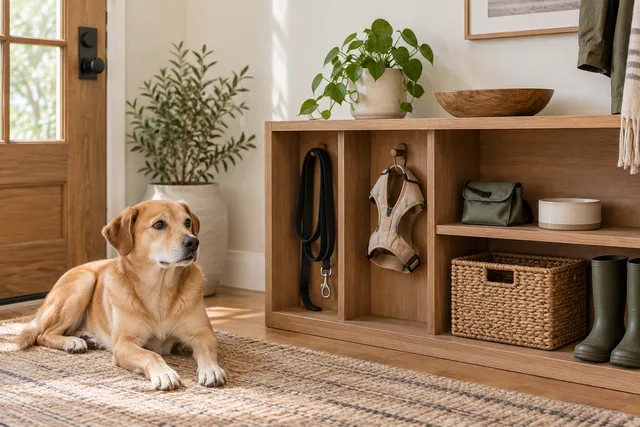
How to Update Dog ID Tag Contact Information and Check It Works
Check the number on your dog’s tag, proofread replacement text, test the contact route and update online identification records separately.
Jump to a section
Start with the number someone can actually reach
To update a dog’s ID tag, check the information on the tag your dog currently wears, confirm a reachable phone number, proofread the replacement text, and inspect the finished tag before attaching it. Update any linked online profile separately. If your dog is microchipped, check the registry record too; changing an engraved tag does not change that record.
The goal is a clear route from a found dog to a person who can help. A decorative tag with an outdated number cannot provide that route. This guide focuses on checking contact details and keeping versions consistent, rather than choosing a particular tag brand or reviewing a collar. The cover is an illustrative scene, not a photograph of a tested product.
Gather the tags and records you already use
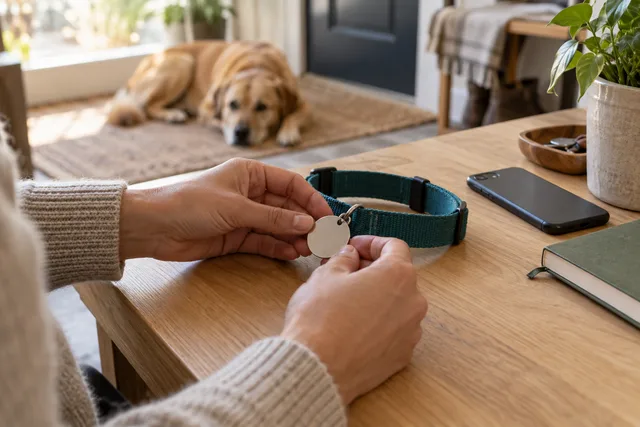
Work at a table while the dog is safely settled elsewhere. Lay out the everyday collar, any alternate walking collar, and the tags that move between them. If you use a separate travel tag, include it. An update can easily miss the collar stored in the car or the one a sitter uses on weekends.
Make a short list with one line for each identification item. Record what is printed, where the item is normally kept, and whether it needs replacement or a profile update. Copy what is actually present, including the area code, rather than filling gaps from memory. Photograph both sides for your private reference if the lettering is difficult to compare.
Separate owner-contact tags from other tags that have their own purpose. A registration number, recovery-service reference and personal phone number are different fields. Do not assume that changing one automatically changes the others, and do not discard unrelated records while tidying up. Keep the task limited to the information you can verify.
Choose the contact details before choosing a layout
Decide which phone is most likely to be available when the dog is away from home. Write down the complete number, with area code, in a clean note. If your circumstances require an international dialing code, include it in the text you proofread. Avoid relying on the order form to infer missing digits correctly.
The American Kennel Club’s identification guide lists a phone number with area code among useful tag details, along with options such as a name, address and alternate contact. Available space is limited, so the final selection should remain readable. These are information choices, not a requirement to squeeze every possible detail onto a small surface.
For a second contact, ask that person first and confirm which number they want used. Explain that a caller might be trying to reunite you with the dog. A number belonging to someone who has changed phones, cannot identify your dog, or does not expect the call is a weak backup even when every digit is engraved correctly.
Balance useful information with public visibility
Treat the text on a tag as publicly readable. Decide deliberately whether a full address belongs there, considering your circumstances and the space available. Do not copy a long account profile onto the tag simply because those fields exist online. A private record and a visible contact label serve different purposes.
Keep account passwords, access codes, payment details and other unrelated personal information out of the engraving. If you use an online profile, review its public view before adding extra details. Information that helps you manage the account may not need to be visible to a finder.
A brief instruction should earn its space. If it makes the main phone number smaller or pushes a digit onto an awkward line, reconsider the layout. For health-related wording, ask your veterinarian what is appropriate for your dog’s situation rather than inventing a diagnosis or treatment instruction. This article does not provide medical wording templates.
Build a proof you can check without guessing
Put each intended line on its own line in a plain note. Label the front and back if the tag has two printable sides. Keep that note as the approved text, separate from older order confirmations. It becomes your reference for the order preview and the finished item.
Read the phone number one digit at a time while comparing it with the verified number. Then check it again in small groups, including the area code. Reading the whole number from memory can make a transposed pair look familiar. If another household member is available, ask them to compare the written versions without first telling them what they should see.
Review punctuation, spacing and line breaks in the seller’s actual preview. A preview is useful for spotting truncation, but it does not prove that the finished lettering will be easy to read. If the form refuses the full number or removes a needed character, resolve that before ordering rather than assuming a hidden note will fix it.
Check a replacement before it goes on the collar
When the tag arrives, compare it with your approved note at the table. Look at both sides in ordinary light. Read every digit and check that no character is cut off, obscured by the attachment hole, or crowded into an ambiguous line. Do this before throwing away the packaging or attaching the tag to the dog.
Ask someone who has not memorized the number to read it from the tag. This is a practical readability check, not a formal durability test. If they need you to explain whether a mark is a three or an eight, the contact route is not as clear as it should be.
Inspect the attachment supplied with the tag and follow its instructions. Set aside an item with a visibly damaged connector or unfinished sharp edge and resolve the problem with the supplier. Do not improvise a repair that you cannot assess. Keep small rings and loose pieces away from the dog while working, and do not use the tag attachment as a leash connection.
Test the contact route with permission
After proofreading, make a controlled test using a second phone you are authorized to use. Dial the number exactly as it appears on the tag. Confirm that it reaches the intended phone or an appropriate voicemail, rather than a disconnected line or the wrong household. Coordinate the test with the recipient so it does not cause confusion.
Check what happens when the receiving phone is locked and the incoming number is unfamiliar. A call can be correctly addressed yet easy to overlook because of the owner’s settings. Review your own call-handling preferences and decide how you would notice a legitimate message. There is no need to disable every protective setting to complete this check.
If a backup person is listed, ask them to confirm their route too. Record only that the check was completed and when; you do not need to store a recording of the call. This test verifies the present contact route. It does not guarantee that someone will answer at every future moment.
Update a QR profile as a separate step
For a tag that opens an online profile, sign in through the service’s known website or app and edit the relevant contact fields. Save the changes, then open the tag’s public destination from a phone that is not already signed into your account. The editing screen alone is not proof that a finder sees the updated information.
Inspect the public page for the correct dog and contact route. Check whether the page loads without requiring your own account credentials, whether a contact button points to the intended destination, and which details are visible. Do not publish extra private information just to make the profile look complete.
If the code no longer opens a usable page, investigate with the provider before relying on it. An online profile introduces a separate dependency on the service and access to it. Keeping a readable phone number on the physical identification item, where its design permits, provides a contact option that does not require opening that profile.
Check the microchip record independently
The AKC explains that a microchip supplies an identification number linked through a registry; it is not a GPS tracker. The registry’s contact information needs attention when your details change. Updating engraving, a retailer account or a QR profile should therefore not be treated as confirmation that the microchip record has also changed.
Locate your existing paperwork and the registry account associated with your dog. Use the service’s official access route and compare its saved phone and address fields with your current information. If you cannot identify the registry or have doubts about the recorded chip number, ask your veterinary practice for help resolving the record rather than guessing which digits belong to the dog.
Keep a private note of the registry name, the date you checked the record and any unresolved action. Do not put login credentials in a publicly shared pet profile. If an ownership transfer is involved, follow the registry’s transfer process; changing a display name in an unrelated account is not evidence that the transfer is complete.
Make the change across the household
Once the replacement is verified, update your inventory of collars and tags. Mark which items are current and which are awaiting replacement. Remove outdated owner-contact tags from the active supplies so a helpful family member does not accidentally put an old number back into use. Keep any reference copy clearly separate from wearable gear.
Tell the people who routinely care for the dog what changed. A short note saying which collar is current and where it is kept is more useful than assuming they noticed new engraving. If a sitter has a separate set of supplies, include that set in the check rather than considering the job finished at your front door.
Before a trip, confirm that the listed number will still reach you. A tag tied only to a phone left at home may not match the travel arrangement. Our overnight supplies guide covers packing; this check concerns the contact route attached to the dog, not the number of items in the bag.
Keep a small maintenance habit
Review the tag when a phone number changes, after a move, when a caregiver arrangement changes, and when you switch collars. Also look at the lettering and connector during ordinary gear checks. Choose a reminder interval you can maintain, but do not treat a calendar reminder as a reason to wait after noticing a problem.
Keep one current photo of the tag and a dated note of the approved text in your private dog records. Replace the reference when you replace the tag. A folder full of unlabeled old proofs creates uncertainty about which version is actually being worn.
The process has limits: it cannot prevent a collar from being lost, make an unreadable tag readable, or guarantee a reunion. Its benefit is narrower and practical. It reduces avoidable mistakes in the information you control, and makes unfinished updates visible instead of assuming that an order confirmation completed the whole task.
Frequently asked questions
Should I use the order confirmation as the final check?
No. Compare the finished tag with your approved text. A correct order does not establish that the physical result is complete and readable.
Can I list someone else’s number?
Use a backup contact only with that person’s agreement. Confirm the number and explain the purpose before it appears on the tag.
Does a new tag update the microchip registry?
No. Check the registry separately through its own process. Keep confirmation of that update in your private records.
What if the tag is readable but the number is old?
Arrange a current replacement. Readability and accuracy are separate checks; both matter for a usable contact route.
Do I need a new product to do this audit?
No. Start with the identification you already use. Replacement is needed when the existing item cannot provide the correct readable information, not simply because you reviewed it.
Source and related reading
The AKC identification overview supports the basic distinction between visible tags and registry-linked identification. The proofreading, inventory and controlled contact checks here are editorial workflow suggestions, not a certified identification system or a product test.
For a place to keep the current collar and avoid mixing it with outdated supplies, see organizing dog walking supplies. Finish by noting any unresolved tag or registry update, so the next person helping with your dog’s routine knows what still needs attention.